What you will learn What a system is, the two registration steps, how to handle the token, and where free ends and paid begins.
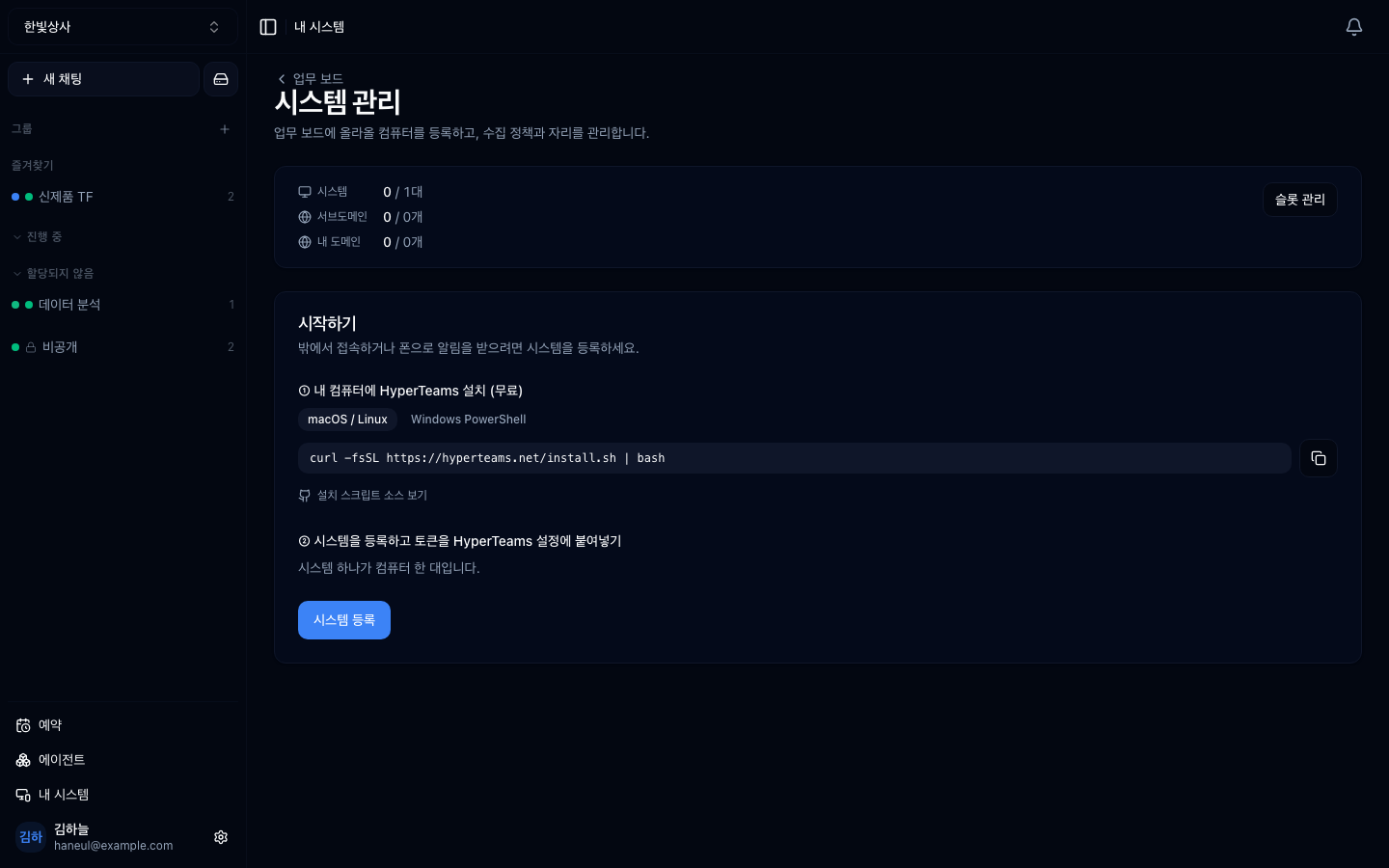
Registered machines appear alongside slot capacity. 0 / 1 is machines in
use against available slots, with the subdomain quota beside it.
Connect lives in the cloud, and sometimes the actual work has to happen on files on your machine. A system is the registration unit that bridges the two.
One system is one computer.
graph TD
  U["Team member · browser"] --> C["Connect<br/>the cloud"]
  C --> S["System<br/>one registered machine"]
  S --> H["HyperTeams<br/>running on that machine"]
  H --> F["Real project folders"]
If the HyperTeams track is the story from that machine's side, this chapter is registering that machine from Connect's side.
Go to My systems in the workspace menu and it walks you through two steps.
Run the command shown on the machine you are connecting.
There is a separate Windows PowerShell tab. Details in installing.
Only the workspace owner can do this step. Signed in as an admin you can see the system list but there is no Register system button. See the role table.
Press Register system and a system row is created in this workspace along with a token. Paste that token into HyperTeams' settings on the machine and they connect.
This single
tt_token is access to that machine.
If it leaks, deleting the system and registering again is fastest. A new token is issued and the old one is invalidated.
| Screen | What you see |
|---|---|
| System list | registered machines and whether they are online |
| Tasks | work sent to that machine and its progress |
| Usage | usage per machine |
| Tags | grouping several machines |
| Domains · slots | external address connection (paid add-on) |
A frequent point of confusion.
| State | |
|---|---|
| System registration | free |
| Handing work to a registered machine | free |
| Viewing progress and usage | free |
| Cloudflare tunnel | paid add-on |
The tunnel is exposing that system at an external internet address. Without paying, everything above still works.
In air-gapped (on-prem) installs the tunnel is disabled entirely, because creating an outbound channel breaks the premise of an air-gapped setup.
We said the working directory is the area of operation. Registering a system to a workspace opens that area to the team.
Check the third carefully. The moment you register a system, that workspace's members can direct work on that machine.
With several systems, group them with tags.
Grouping by tag lets you hand work to "one of the systems tagged build."
1. How should you handle the system token?
Like a password. A single tt_ token is access to that machine, so it must
never end up in chat, issues, or screenshots. If it leaks, deleting the system
and registering again is fastest.
2. Which is paid — system registration or the tunnel?
The tunnel is the paid add-on. System registration, handing over work, and viewing usage are free. In air-gapped installs the tunnel is disabled entirely.
3. What must you check before registering a system?
The scope of that machine's working directories. The moment you register, workspace members can direct work into that area, so check that no folder containing personal files is registered.
Now on to managing the team → Members and roles
curl -fsSL https://hyperteams.net/install.sh | bash✗ pasting it into a chat room✗ leaving it in an issue or a document✗ including it in a screenshot✓ only in that machine's settings screen□ is that machine's working directory drawn narrowly□ is a folder containing personal files registered□ should this workspace's members see that areabuild-server-1 [build]build-server-2 [build]dev-pc-kim [dev] HyperTeams