What you will learn How to read the usage screen, what to look at and what to do about it, and how credits differ.
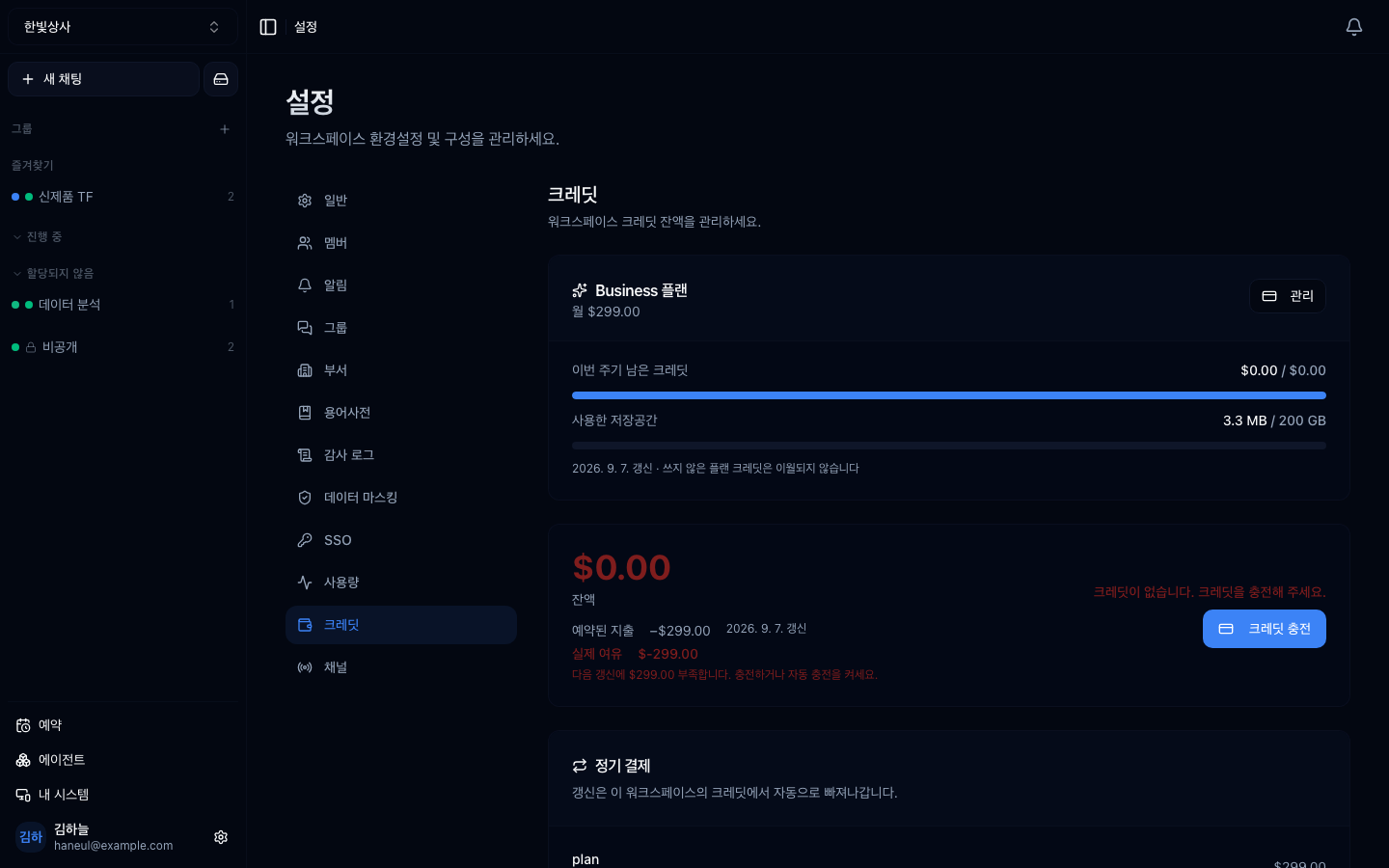
Balance and top-up history appear together. With auto top-up on, it refills by the amount you set whenever the balance drops below your threshold.
| The question it answers | |
|---|---|
| Usage | what was spent on what |
| Credits | how much is left |
Open Usage at the bottom of the sidebar. Pick 7, 30, or 90 days and the whole screen speaks for that window — Connect (what uses credit) and Systems (what your own machines spent) stand side by side.

Below, per-call history records every invocation.
This is the key point. A total only tells you "a lot" or "a little." The distribution tells you what to do.
| What you see | What it means | Action |
|---|---|---|
| One person is most of it | their usage pattern drives team cost | standardise that work or turn it into an agent |
| Expensive models on simple work | model choice does not match difficulty | model routing |
| Concentrated at one time of day | scheduled work may be the cause | adjust the cadence on the schedule screen |
| One agent is most of it | its instructions are long or it has many tools | tidy the instructions and tools |
| A sudden increase | a new tool connection or added schedule | check recent changes |
Not a bad signal. It may mean they are using it best.
What to check is what they are using it on. If it is a repeating type, turn it into an agent so the whole team can use it.
The most common waste. If a heavy model is doing format conversion or simple classification, there is room to change.
Scheduled runs. Schedules whose purpose has ended, still running, is common — the problem covered in scheduled runs.
Settings → Credits holds two things — the plan you are on, and the balance stacked on top of it.
| Check | |
|---|---|
| Plan | which tier, and how many credits this cycle issued |
| Balance | how much is left now |
| Burn rate | at this rate, when it runs out |
| Storage | how much of the drive you have used |
Credits are not bought — a monthly plan issues them. Without that model in mind the screen doesn't read. The detail is in Plans and tiers.
What was issued expires at the end of the cycle. Consumption goes earliest-expiring first, so plan credits are spent before purchased ones.
You can stack extra credits on top of a plan. Without a plan there is no extra purchase either — it is a supplement, not a way in.
When the balance falls below a line you set, it charges automatically and refills. This prevents an overnight scheduled run failing wholesale for lack of balance.
Purchased credits do expire — one year from the top-up date, matching industry practice. Put in a lot at once and it may expire unused, so top up to match the burn rate and leave auto top-up on.
In air-gapped (on-prem) installs there is no credit deduction. But usage records continue, because they are used to see adoption.
Highest impact first.
1 and 2 are the most effective. Tidying settings is faster than changing people's habits.
There is a caution when raising the subject of cost.
Look at the work, not the people. Point at heavy users and usage itself falls, and then so does the transformation.
1. Why look at the distribution rather than the total?
Because a total only says a lot or a little, while the distribution says what to do. Which work, which model, and what time of day all point at what to improve.
2. What if one person accounts for 80% of usage?
It may not be a bad signal. It may mean they are using it best — so look at what they use it for, and if it is a repeating type, turn it into an agent for the whole team.
3. What should you be careful about when raising cost with the team?
Look at the work, not the people. Point at heavy users and usage itself falls, and the transformation stops with it.
Finally, calling it from outside → Calling it via API key
model / time / user / amount✗ save this month's leftovers for next month → not possible✓ leftovers every month → drop a tier✓ short every month → look at the distribution above firstBalance falls below $50 → top up $1001. Clear out schedules whose purpose has ended ← daily runs accumulate2. Turn off unused tools ← definitions ride on every request3. Lighter models for simple work4. New threads instead of long conversations ← long conversations cost more5. Refine agent instructions✗ "Let's see who spent the most" → usage drops✓ "Let's see which work costs the most" → you find what to improve HyperTeams