What you will learn What a working directory is and how to split them. This choice shapes how you work later.
If paths are unfamiliar, start with Files, folders, paths.
You register a path. If the path does not exist, it is created for you.
Once registered, one folder is one card on the dashboard.
This is the important part. A working directory is the agent's area of operation.
graph TD
  W["Working directory<br/>/projects/shop-api"] --> A["What the agent can see"]
  A --> F1["Files in this folder"]
  A --> F2["Subfolders"]
  X["Outside the folder"] -.->|"not accessed by default"| A
So how you draw the folder is also a safety mechanism.
| Folder registered | Result |
|---|---|
/Users/me (whole home) | dangerous. Personal files and settings are in scope |
/Users/me/projects | wide. Several projects mixed together |
/Users/me/projects/shop-api | about right |
Do not register your home folder or the root. Drawing it only as wide as needed is least privilege.
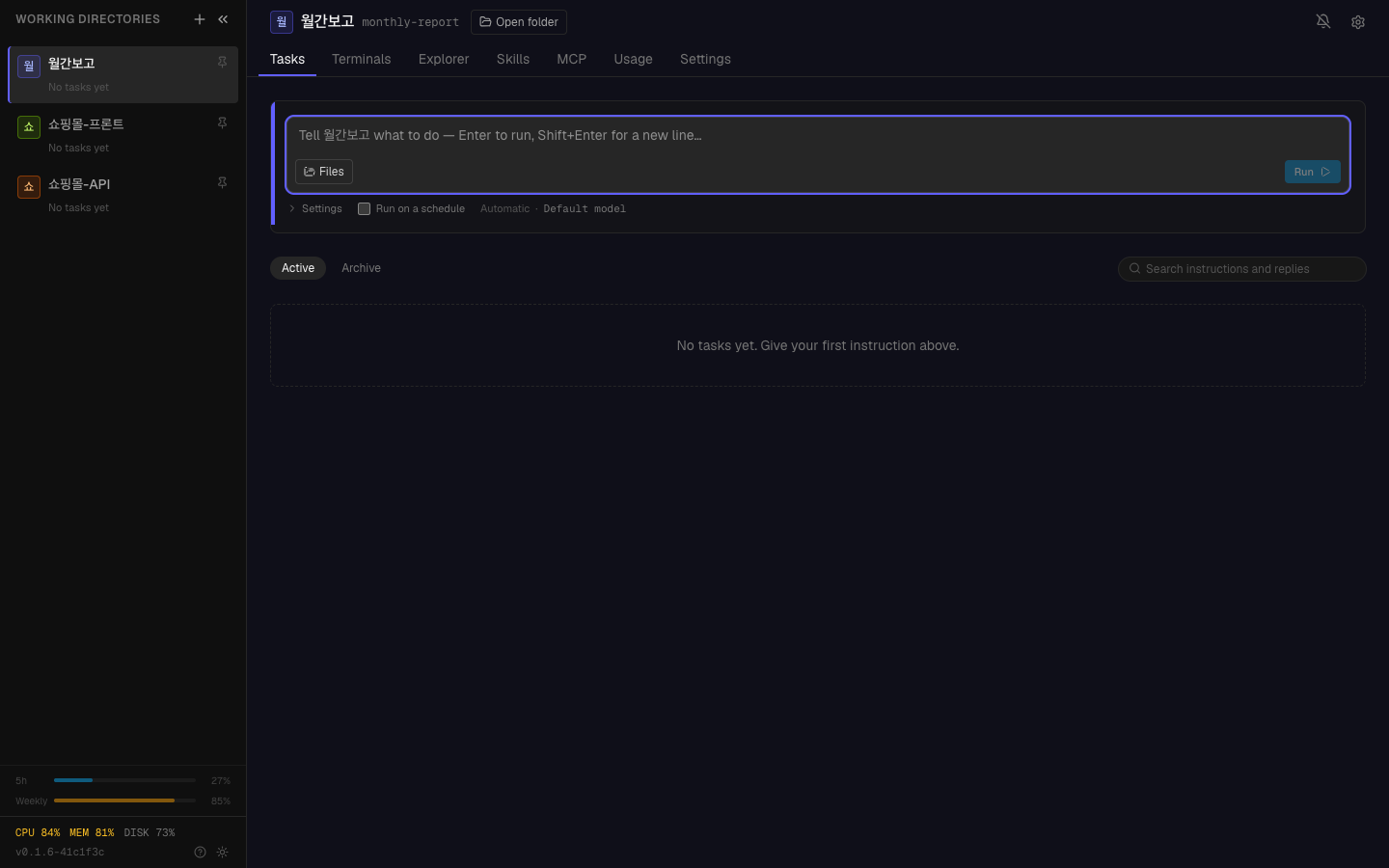
Registered folders stack up as cards, each showing how many tasks are running.
The most natural. One repository, one folder.
Splitting lets you run work in parallel. Frontend work and API work do not wait for each other — the same independence as in micro-sprints.
Different character means different instructions. Mixed together, you re-explain the context every time.
Keep the folder containing production deployment scripts separate from your experimental folder, because you can give them different autonomy levels — the subject of the next chapter.
Each folder can carry defaults.
| Setting | What |
|---|---|
| Name | the name shown on the card (need not match the path) |
| Default autonomy | the default level for this folder |
| Description | what this folder is (the agent reads it) |
Writing the description means not explaining it every time.
This is writing down the context part of a good instruction once, per folder.
Registering /Users/me/projects as one seems convenient, but:
You end up rewriting "this project is Node.js and…" for every task. Write it once.
Delete folders you no longer use. As cards accumulate, the important ones stop standing out.
1. Why should a working directory be drawn narrowly?
Because the working directory is the agent's area of operation. Register your home folder and your personal files and settings are in scope. Drawing it only as wide as needed is least privilege.
2. What do you gain by splitting a project into several folders?
You can run work in parallel. Frontend work and API work do not wait for each other.
3. What changes when you write a folder description?
You stop re-explaining the context on every task. It is the context part of a good instruction, written once per folder.
Now hand over your first task → Your first task
/Users/me/projects/shop-frontend/Users/me/projects/shop-api/Users/me/documents/monthly-report✓ shop-frontend / shop-api / shop-admin (registered separately)✗ shop (one parent folder)Code work → /projects/shop-apiDocument work → /documents/specsData conversion → /work/data-cleanupExample description: "Shop backend API. Node.js + PostgreSQL. Do not modify payment code (/payments)." HyperTeams