What this chapter covers That SSO opens more than sign-in, how to map IdP groups to departments, and why this is a security-review gate.
Settings → SSO covers two things.
| What | Set where | |
|---|---|---|
| Sign-in | Coming in with a company account | Deployment settings (OIDC_*) |
| Department sync | IdP group → department | This screen |
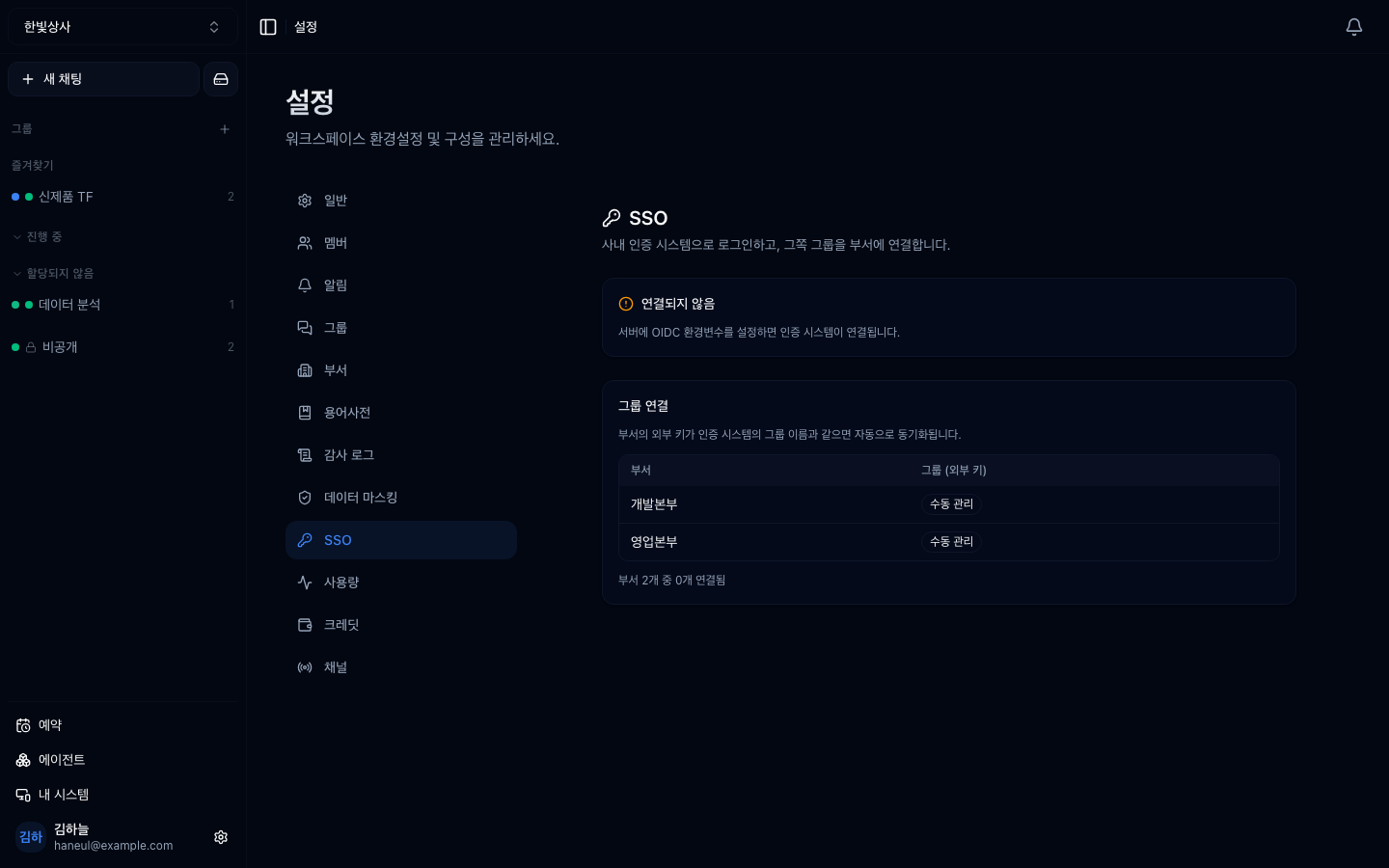
Sign-in itself is wired up by whoever runs the deployment. What the workspace actually gains is the lower half — everyone's department is corrected on each sign-in.
Departments are the unit permissions are granted to in this product.
Drive folder permissions → by departmentGroup visibility → by departmentOperator (run) rights → by departmentGrant those to individuals and every staff move means editing dozens of screens by hand. Grant to departments, and have departments follow the IdP, and HR moving one person in the IdP is the whole job.
Leavers work the same way. Deactivate in the IdP and the next sign-in is blocked, taking the department membership with it.
The screen shows whether an IdP is attached and which claim groups are read from.
Below that you give each department an external key. It must match the group name the IdP sends.
| Department | External key |
|---|---|
| Sales | sales |
| Engineering | engineering |
Match case and spacing exactly. One character off and it silently fails to link — and the symptom shows up as "no permission".
A Max-tier feature (Plans and tiers).
Note its character: this is not a feature people want, it is a condition for passing a security review. "Do we have to create separate passwords outside our company identity system?" comes up in almost every enterprise review, and failing it means the rest is never evaluated.
No tier limit — but the IdP itself has to live inside that network.
That depends on deployment settings. This screen handles department sync;
which sign-in methods are open is set per deployment (OIDC_*). During a
transition it is normal to leave both open.
No. Give existing departments an external key. Departments the IdP doesn't know stay manually managed, and the two mix freely.
1. What does the workspace actually gain here?
The sync that turns IdP groups into department membership. Sign-in itself is a deployment setting; this screen handles what comes after.
2. Why does department sync make permissions cheap?
Because drive, group and operator rights are all granted to departments. HR moving someone in the IdP moves their whole access footprint.
3. What happens when an external key is one character off?
It silently fails to link. There is no error — it shows up as "no permission", which is hard to trace. Match case and spacing exactly.
Next, where to look when something breaks → Troubleshooting
□ Connection status — is it attached□ Issuer URL — which IdP□ Groups claim name — defaults to groups HyperTeams