What you will learn When you need the API, how to handle keys, and what to watch out for.
If you are unsure what an API even is, start with What an API is and Accounts, passwords, API keys, permissions.
If conversing on screen is enough, you do not need the API. Use it for:
| Situation | Example |
|---|---|
| Calling from another system | offering a summarise feature in the intranet |
| Putting it in an automation script | generate a daily report and email it |
| Integrating with another service | a Slack bot, an internal chatbot |
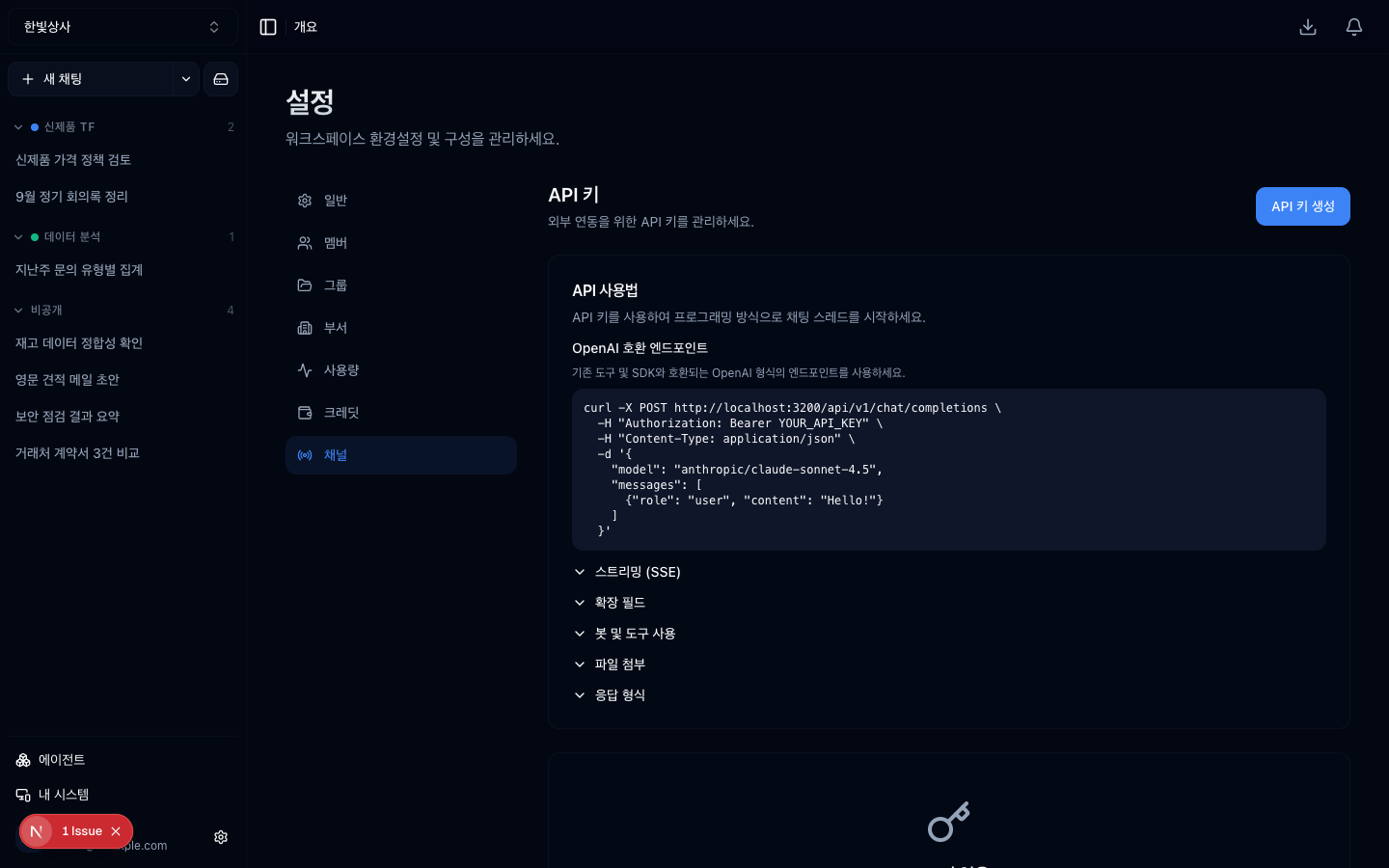
Issue one under Settings → Channel settings → API keys. API keys live inside the channel settings — they are not visible at the first level of the left menu.
What to decide when issuing:
Name it carelessly and later you cannot even delete it because you do not know what it is.
The list of issued keys. Recognisable names are what let you delete them later.
Call the /api/v1 path. The exact request format is behind the API docs link
on the Settings → Channel settings → MCP screen — writing it in this guide would
drift when the real API changes, so that screen is the right place to look.
The basic shape:
This is the heart of the chapter.
Keys are easy to create and easy to forget to delete.
The last is practical. A key whose purpose is unknown is usually a key nobody uses.
| Do not | Instead |
|---|---|
| Hardcode in the source | environment variables |
| Commit to the repository | gitignore .env |
| Share in a chat room | a secret manager |
| Paste into a document | reference it only |
If it leaks, delete that key immediately and issue a new one. A deleted key is invalid at once.
An API key is access to that workspace.
The tools are permissions perspective applies here too. The more tools connected to a workspace, the more that key can do.
API calls are recorded in usage too. If an automation script is calling more than expected, you see it there.
Automation calls more than people do. When first attaching one, watch usage for a few days.
Split by purpose. If one leaks you have to rotate everything. Split, and you only delete that one.
Retry on failure, but cap the number. Unlimited retries burn cost fast.
AI output differs slightly every time. Feeding a response straight into the next step of an automation can break on format. Add a step that specifies and validates the format.
1. Why take care naming API keys?
Because later you will not know what a key is for and will be unable to delete it. "intranet-summarise" beats "key1".
2. What do you do with a key whose purpose is unknown?
Delete it and see whether anything breaks — that is the practical approach. A key whose purpose is unknown is usually a key nobody uses.
3. Three things to watch when attaching the API to an automation?
Split keys by purpose, cap retries, and validate the response format. Automation calls more than people do, so watch usage for the first few days.
Now to pull every boundary onto one page for security review → One page for security review
□ Name — recognisable as what this key is for□ Purpose note — so you remember later what it was✗ "key1", "test", "api"✓ "intranet-summarise", "daily-report-script"POST /api/v1/chatAuthorization: Bearer <your key>{ "message": "...", ... }□ delete keys you are not using□ when the owner changes, issue a new key□ for a key whose purpose is unknown, delete it and see whether anything breaks□ it can start conversations□ it can use that workspace's tools□ it can reach that workspace's material HyperTeams