What you will learn How to invite, the difference between the three roles, and how to allocate them in practice.
Invite by email under Settings → Members.
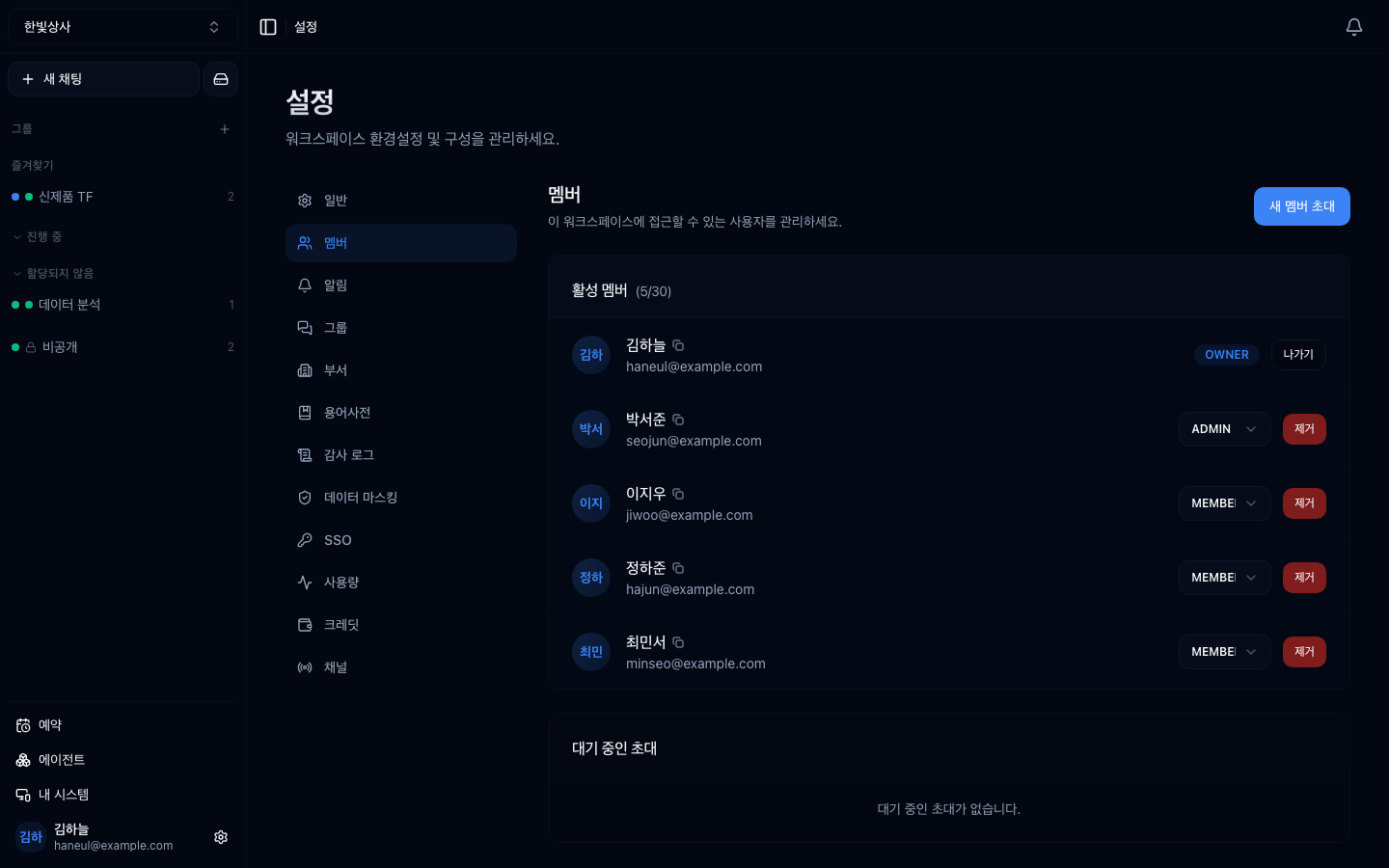
Invitations go out as an email link and stay under pending invitations until accepted.
| Role | What they can do |
|---|---|
| owner | everything, including deleting the workspace and billing |
| admin | team settings and most admin screens. But not billing, deletion, or system registration |
| member | converse and use agents. Admin screens are blocked |
| Can they | owner | admin | member |
|---|---|---|---|
| Converse, use agents | ○ | ○ | ○ |
| Create agents | ○ | ○ | ○ |
| Invite members, change roles | ○ | ○ | ✗ |
| Configure tool connections | ○ | ○ | ✗ |
| View the systems screen | ○ | ○ | ✗ |
| Register a system, change its policy | ○ | ✗ | ✗ |
| Purchase credits | ○ | ✗ | ✗ |
| Delete the workspace | ○ | ✗ | ✗ |
Systems are the exception. An admin can see the list of registered systems and their status, but the register and policy-edit buttons are not shown to them. Attaching a new machine has to be done by the owner.
This is where practical judgement is needed.
| Setup | Problem |
|---|---|
| One owner only | when they are away, system registration and tool settings all stop |
| Everyone an admin | the permission boundary disappears. Hard to trace who changed what |
| 1 owner + 1–2 admins | sensible |
A single owner is the most common problem. If a tool connection breaks while they are on holiday, the whole team waits.
graph TD
  Q["Give this person admin?"] --> Q1{"Do they need to configure<br/>tools and systems themselves?"}
  Q1 -->|"yes"| A["admin"]
  Q1 -->|"no"| Q2{"Do they manage members?"}
  Q2 -->|"yes"| A
  Q2 -->|"no"| M["member"]
Conversing and creating agents needs only member. Give admin only to people who change settings.
Invite someone with no guidance and they arrive not knowing what to do.
Sending a guide link along works too — starting from your first conversation.
| Situation | How |
|---|---|
| You leave yourself | Leave on the members screen |
| Removing someone else | Remove (admin or above) |
| Changing the owner | designate a new owner, then the old one leaves |
Do not forget to clear out leavers. While they remain in the workspace they keep access to the conversation history.
About once a quarter:
1. What goes wrong with only one owner?
When they are away, administrative work like system registration and tool configuration all stops. One owner plus one or two admins is sensible.
2. What role do you need to create an agent?
Member is enough. Give admin only to people who change settings — tool connections, system registration, member management.
3. What should you tell someone when inviting them?
The workspace's purpose, the available agents, what not to do, and who to ask. Invite them with no guidance and they arrive not knowing what to do.
As headcount grows, per-person management breaks down → Groups and departments
□ what this workspace is for□ the list of available agents and what they are for□ what not to do (no personal data, and so on)□ who to ask when stuck□ does the member list match the actual team□ are there more admins than necessary□ are there accounts that have not been used in a long time HyperTeams